Three moves, and the page reads to you
Select
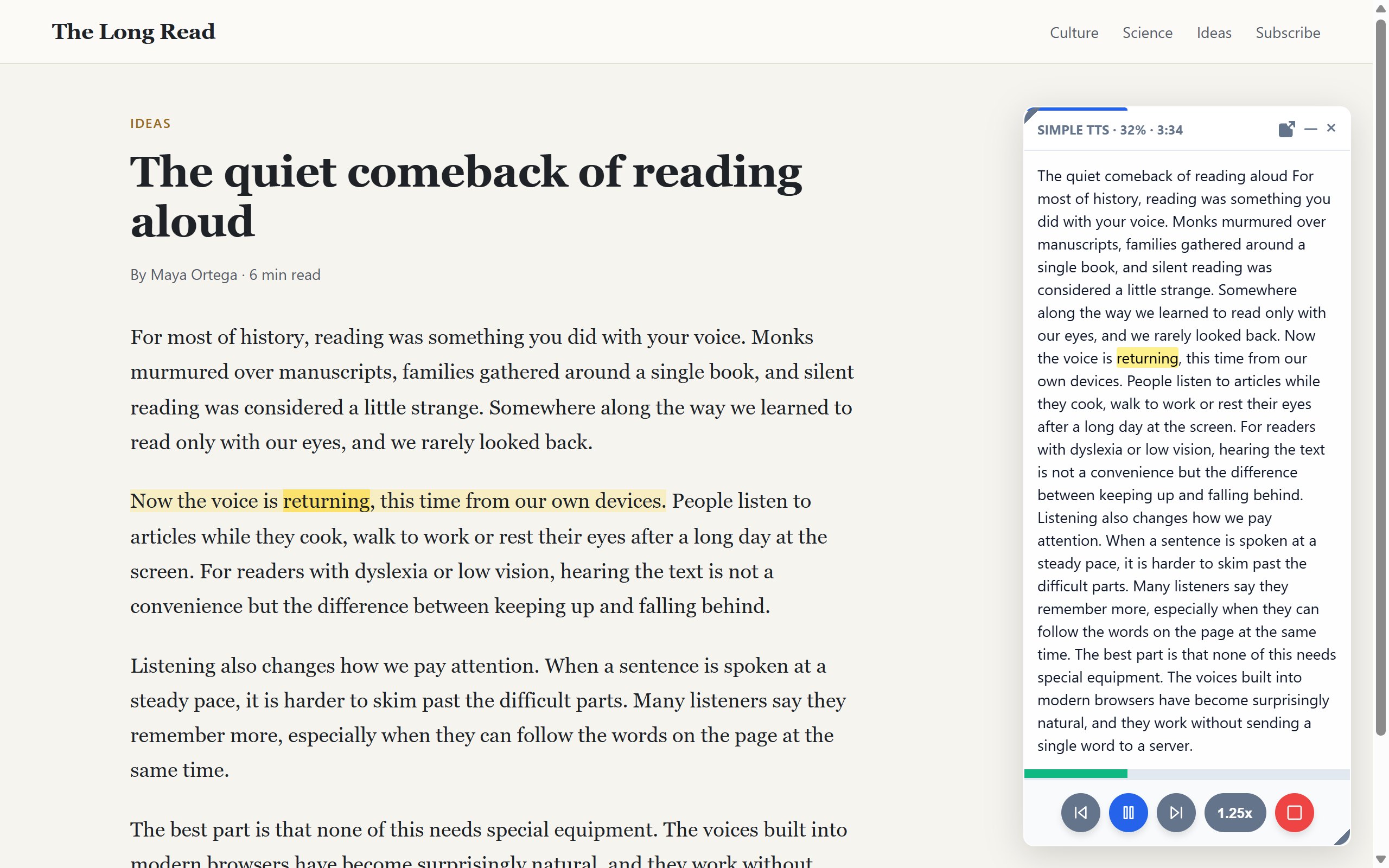
Highlight a paragraph, or right-click an empty spot and choose "Read full article".
Press Alt+R
Or use the right-click menu. Reading starts right away, in a voice that matches the text.
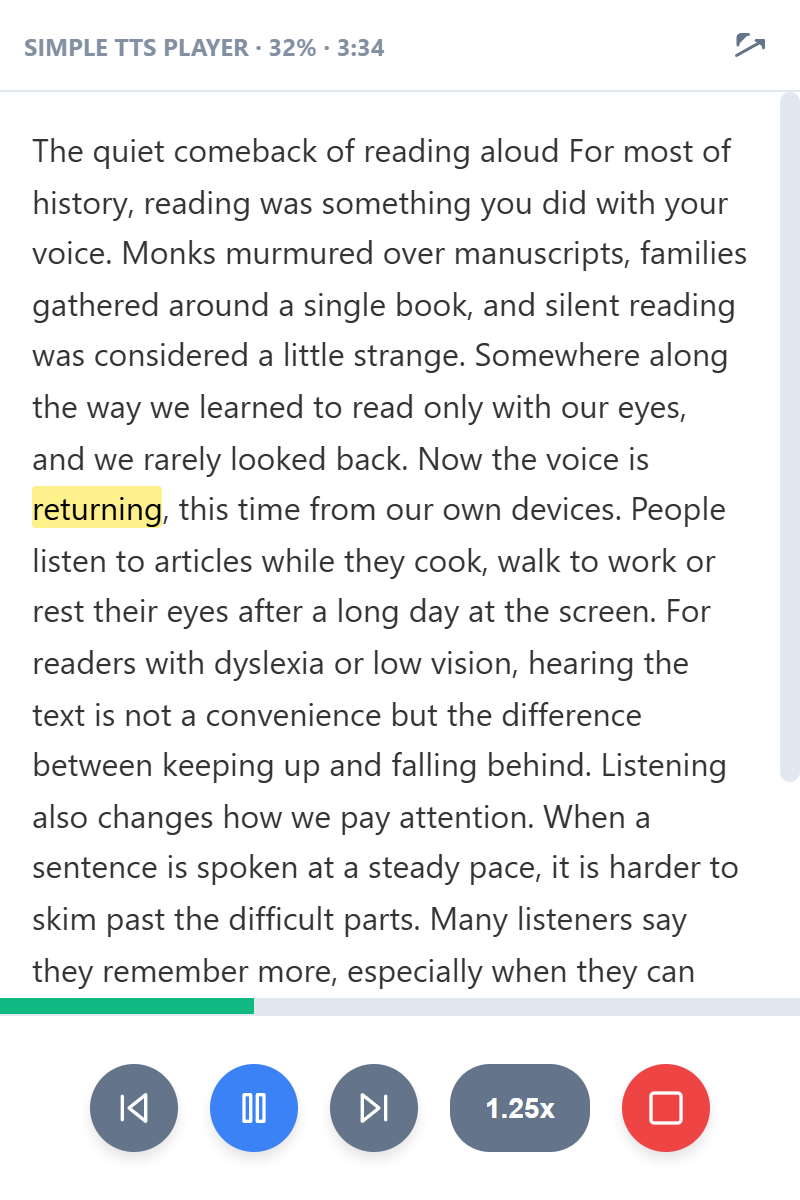
Follow along
The current word and sentence light up on the page, in the color you pick.
Your text stays on your computer
Simple TTS speaks through the voices your browser and system already have. It never sends what you read anywhere, and it has no servers to send it to.
- The page
 Simple TTS
- System voices
- Your speakers
- No account
- Install it and press Alt+R. There is nothing to sign up for.
- No tracking
- No analytics, no cookies, no remote servers. Not in the extension, not on this site.
- Works offline
- With local system voices, reading keeps going without a connection.
- Free
- Every feature, no subscription, no premium tier.
Read the way that suits you
- Every voice on your device
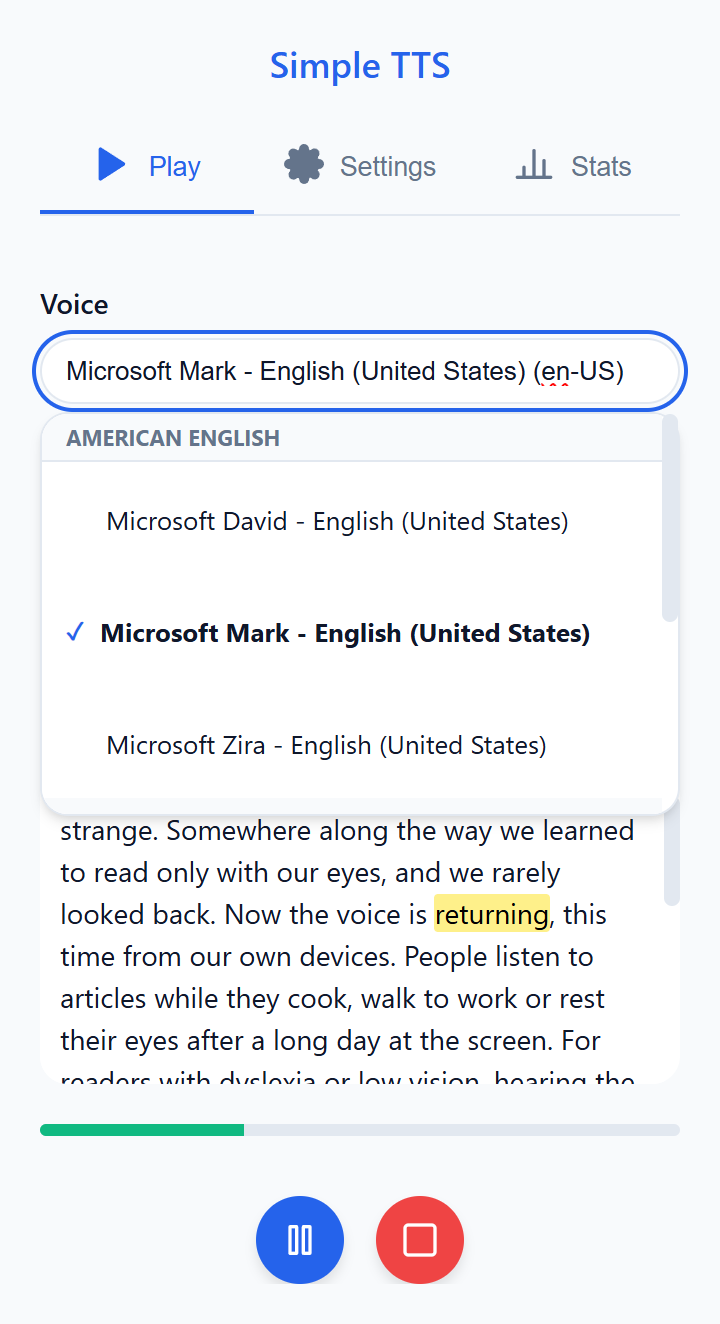
- Search the voices installed in your browser, try them out, and let Simple TTS switch to one that speaks the language of the text.
- From 0.5x to 4x
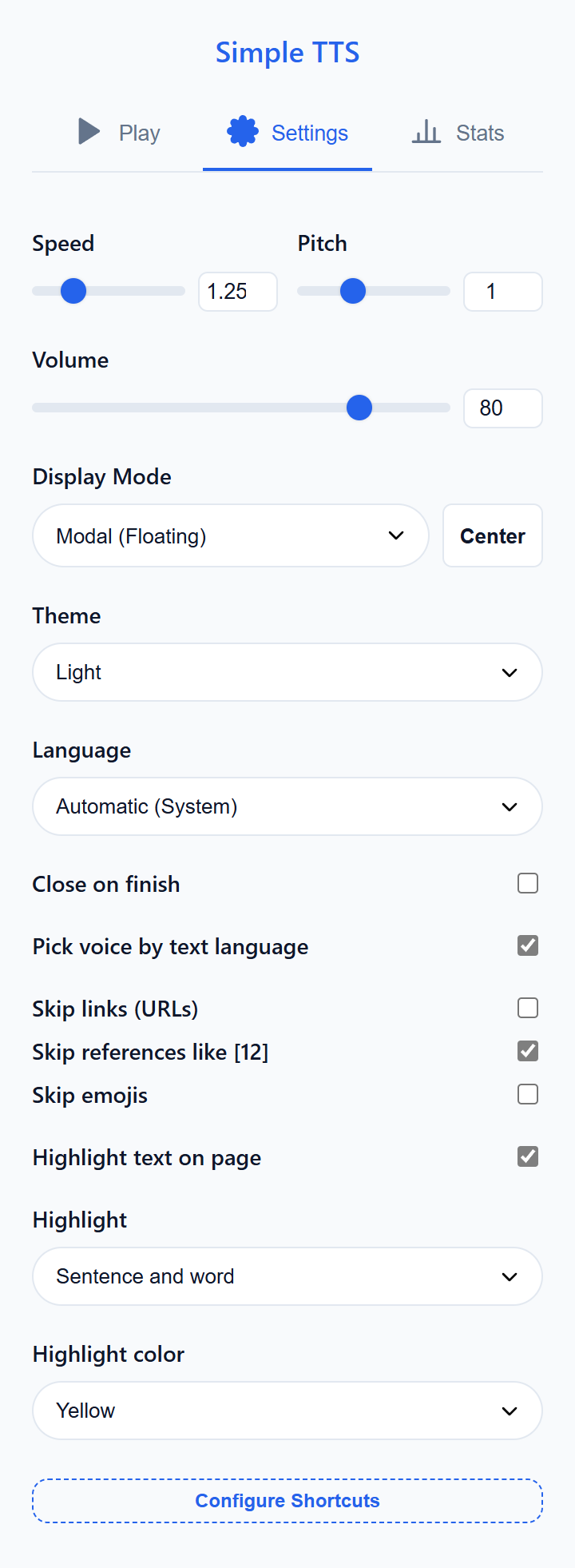
- Change speed, pitch and volume while it reads, without losing your place. Pick how the highlight looks: word, sentence or both.
- Jump around the text
- Click any sentence in the player to go straight to it, or skip by sentence and paragraph. Queue more text while you listen.
- See how far you have come
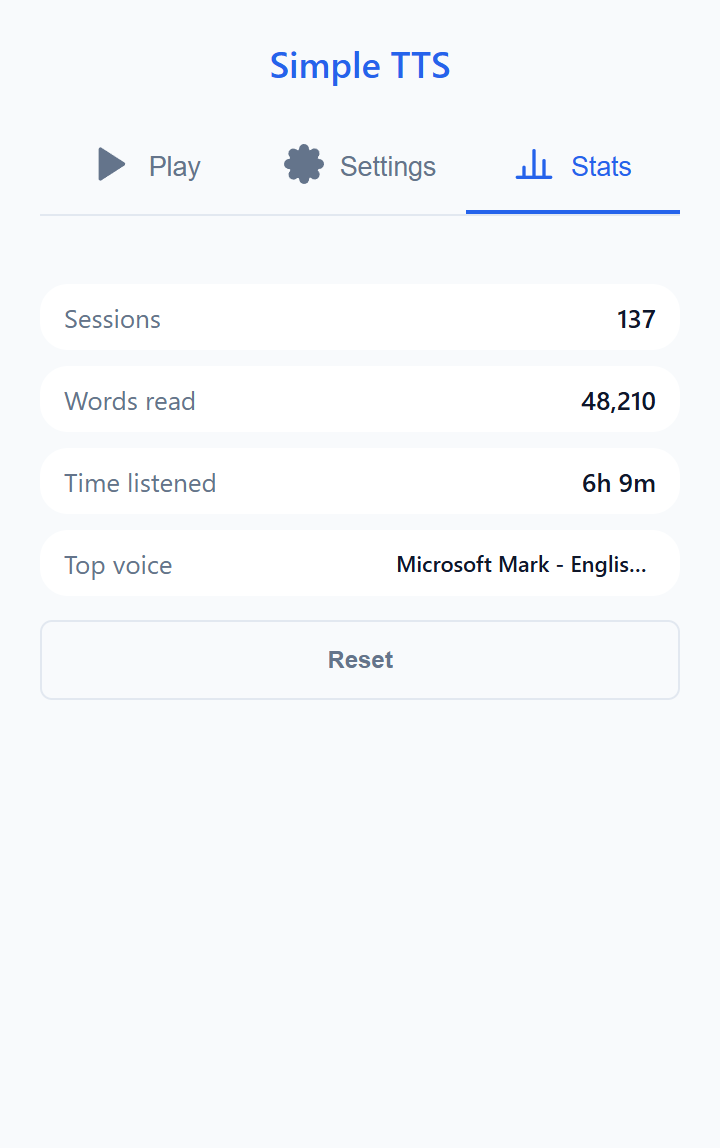
- Progress and time left for the current text, and a tally of everything you have listened to, kept in your browser.
- Read from any word to the end of the page
- Skips links, reference markers like [12] and emojis
- Light and dark theme
- Interface in six languages
Three ways to keep the player
Floating
A small player over the page. Move it, resize it, and it remembers where you left it.
Window
The player in a window of its own, so you can switch tabs and stay in control.
Hidden
No player on screen at all. Control it from the toolbar icon and the shortcuts.
Keyboard shortcuts
Everything works from the keyboard. These are the defaults:
| Alt+R | Read the selected text |
|---|---|
| Alt+P | Pause and resume |
| Alt+S | Stop |
| Alt+. | Speed up |
| Not set, add your own | Slow down |
| Not set, add your own | Next and previous paragraph |
Change any of them, or give keys to the ones without, at chrome://extensions/shortcuts.
Frequently asked questions
Is it really free?
Yes. Every feature is free, with no subscription, no account and no ads.
Which voices can I use?
The ones your browser and operating system offer. How many there are and how natural they sound depends on your system. You can usually add more voices in your system’s speech or accessibility settings.
Does my text leave my computer?
Simple TTS never sends it anywhere. With your system’s local voices everything stays on the device and works offline. Some browsers also offer online voices; if you pick one of those, that voice service handles the text.
How do I read a whole article?
Right-click an empty part of the page, without selecting anything, and choose "Read full article". To start from a specific point, right-click a word and choose "Read from here to the end".
Can I change the shortcuts?
Yes. Open chrome://extensions/shortcuts in the address bar and set the keys you like.
Something is not working. Who do I tell?
Write to extensiones@abdell.dev saying which page you were on and what happened.
Start listening to the web
Free on the Chrome Web Store.